Saturday, April 22, 2006

Opportunity's Drive South

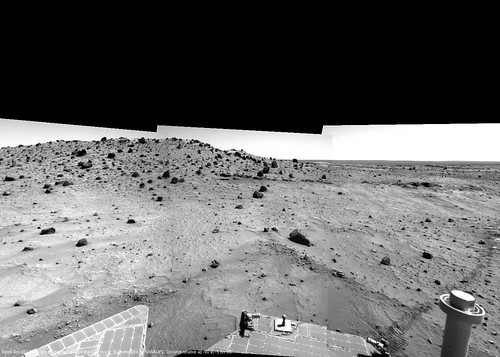
My Flickr movie of Opportunity's drive south toward Victoria has been updated up to Sol 796 (the sol before yestersol).

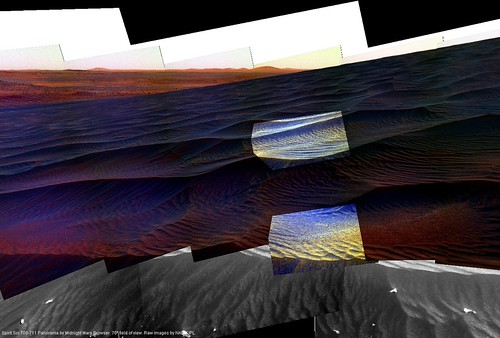
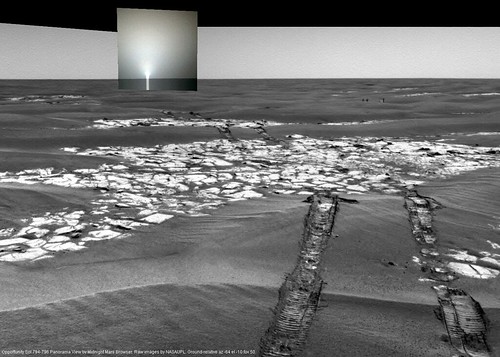
Here's a view of sunset on Sol 795, against a backrgound taken earlier in the day:

OpportunitySol794-796_1

Thursday, April 13, 2006

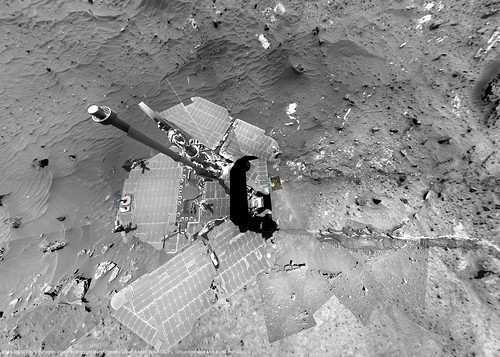
Spirit at "Low Ridge Haven"

SpiritSol807-809_1

I've updated the brightness-adjustment metadata for several recent sols.

Spirit has arrived at "Low Ridge Haven," where she will probably now spend the winter in order to keep her solar panels tilted toward the sun.

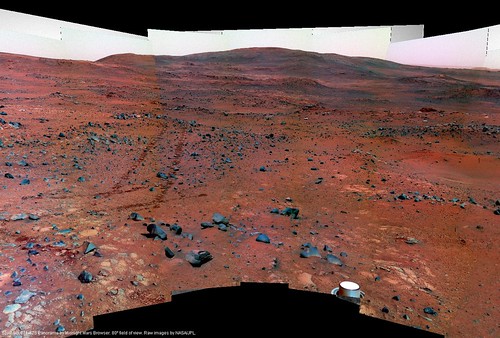
I hope she still moves around a bit during this time, if only because MMB panoramas are organized by location, and staying for too long in one place could cause problems I'll need to address in the software. But there seem to be several tasty science targets around here, so perhaps there are some attainable short-range goals for the rover to keep her moving, if only slightly.

Friday, March 31, 2006

Flickr Slideshows

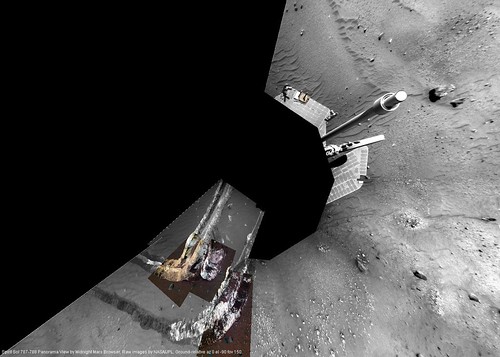
SpiritSol787-788_1

Here is a Flickr Slideshow of the turn that Spirit is currently executing. This is the first time I've tried a Flickr slideshow; it's kind of neat but I wish there was a way to view both the individual pictures and the slideshow as a whole at a larger size more easily. I also wish there was a "Blog Slideshow" button in Flickr.

I'm not sure why Spirit is turning; I thought she was stuck and just thrashing around at first.

Update: here is a movie of Opportunity's trip South from Erebus, in progress.

Saturday, March 18, 2006

Version 1.4.6

Midnight Mars Browser version 1.4.6 fixes a couple bugs and makes a change to the de-vignetting feature introduced in the previous version.

Download the latest version of Midnight Mars Browser

Monday, March 13, 2006

The "Multiple Instance" Warning

A couple people have asked about this already, so I better mention it: If you are getting a warning message when MMB starts up, you probably don't need to worry about it. A version or two ago I added this warning message to try to make sure people don't run multiple "instances" of MMB at the same time. Unfortunately it doesn't work very well, and the warning message doesn't explain things very well. So if you get that message, and MMB isn't already running, just continue and press "Yes". I will at least clarify the language in the warning message next time around.

(If you want to know the technical details, MMB is creating a file to track when it is running, and this file isn't getting cleaned up when MMB is shut down in some cases. It's not a very good system to begin with, but I don't know another way to do it at the moment. Perhaps some Java expert out there can enlighten me.)
Friday, March 10, 2006

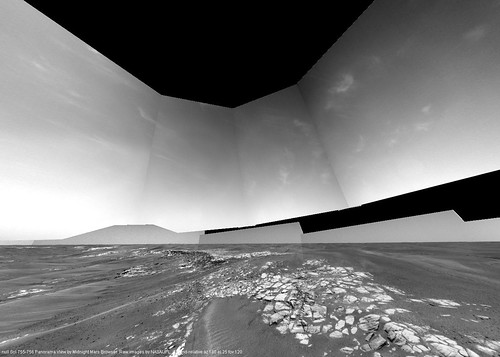
Clouds at Erebus

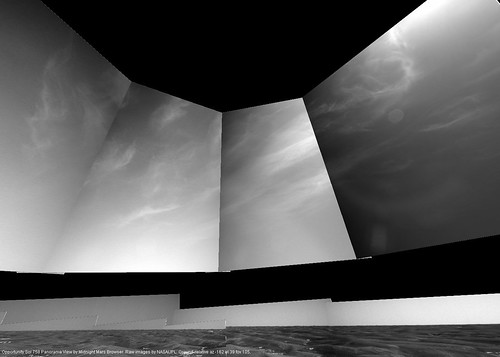
Too neat not to post:

OpportunitySol755-756_2

You might see the cloud pictures elsewhere, but now you know where they fit into the local scenery. The view is facing directly South at Opportunity's current position.

MRO

Mars Reconnaissance Orbiter has safely entered orbit. Fantastic news.

Wednesday, March 08, 2006

Version 1.4.5 (the de-vignetting version)

Midnight Mars Browser version 1.4.5 has been posted. This version adds support for de-vignetting images displayed in Panorama mode. I've been posting images made using this feature on the Flickr page for several days now, such as this one:

SpiritSol772-774_1

The feature is not perfect, but it helps to smooth out the joins between images.

Some notes about this feature:

  • The brightness and devignetting adjustments are not automatic, the parameters have to be set manually. Usually I make those adjustments to a panorama add them to the metadata, so that the program picks up the adjustments automatically. Panoramas that have not had brightness/devignetting adjustments added will appear as normal even when you check "Adjust raw image brightness" in the Panorama dialog.
  • The "Adjust raw image brightness" checkbox in the Panorama dialog turns both brightness and devignettign adjustment on or off.
  • Brightness/devignetting adjustments are made "on the fly" as the images are loaded; the raw images stored on disk are not modified. The raw images stored on disk always remain exactly as downloaded from JPL or Exploratorium.
  • Currently, generated images have brightness and devignetting adjustments made at the time they are generated. You will sometimes see images being regenerated automatically during an update when the brightness/devignetting metadata has been updated.
  • It is possible to play with the brightness/devignetting parameters of images yourself, but I'll have to document how that's done later.
  • Added a "Export Pan Images..." menu option under File->Advanced. This allows you to export the images displayed in a MMB panorama to a directory, so that they can easily be imported into an external program, such as Autostitch. Hidden images are not exported. Currently the export option does ignores which images are selected and exports all images which are visible (I may fix this in the future).


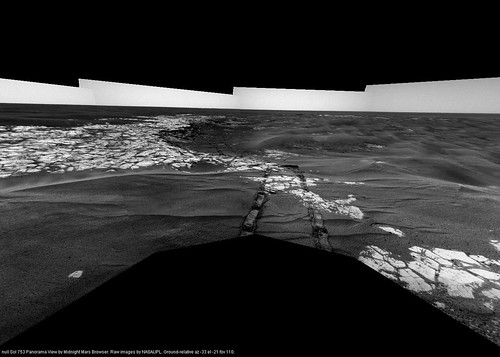
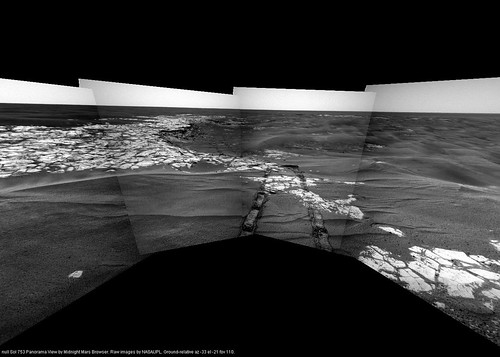
As another example, here is the same view with brightness adjustment and de-vignetting turned on and off:

On:
OpportunitySol753_5

Off:
OpportunitySol753_4

Download the latest version of Midnight Mars Browser

Friday, February 24, 2006

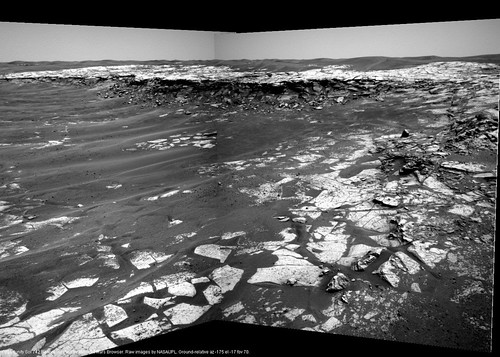
Opportunity Sol 742 - "Payson" In View

1_640D_1

Good news: Exploratorium appears to be working again, at least for the moment, so we get to see the up-to-the-minute latest Mars Rover images again. Such as the above.

Other news: I think I'm going to just post images to the Flickr site for awhile, to save myself some time.

Other good news: Midnight Mars Browser 1.4.4 is posted; see below.

Version 1.4.4

Midnight Mars Browser version 1.4.4 has been posted. Here's what's new:

  • In Panorama mode, the new "Edit -> Select Command Sequence Images" menu option selects the closest image to center and all other images in the panorama with the same command sequence code. Once an image or images are selected, they can be hid using the new "Navigate -> Hide Selected Images" menu option (to reveal any images behind). All images can be shown again using the "Navigate -> Show All Images" menu option.
  • Improved image quality in Panorama mode at certain magnifications (smoother scaling, fewer "jaggies").
  • Added an "Update Panorama Images from JPL" menu option to the Update menu.
  • Fixed Panorama selection dialog to show pans in order by sol (since site/drive code isn't completely reliable).
  • Panorama screenshots show view azimuth, elevation and field of view at bottom.
  • Miscellaneous other fixes.


Download the latest version of Midnight Mars Browser

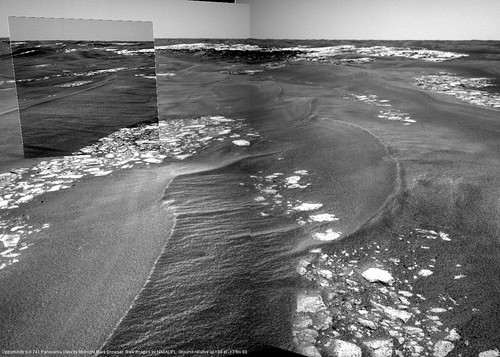
Opportunity Sol 741 - Opportunity Drives

1_64TI_1

Opportunity's first significant drive in ... what? Weeks, months. Very good news. Let's hope there's still lots of life in the old girl; there's much left to see.

The rest of the Pancams should give us the best view yet of "Mogollon Rim," once they've come in.

Thursday, February 23, 2006

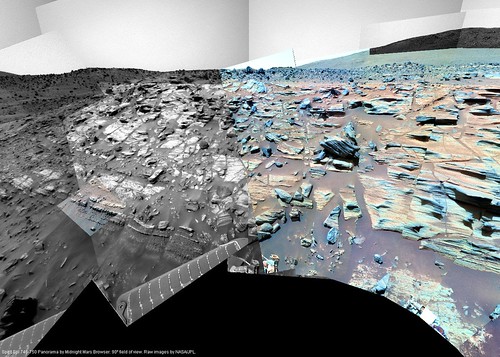
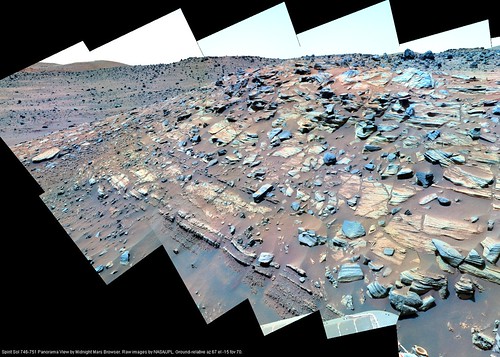
Spirit Sol 746-751 False-Color Updated

2_AO55_7

Adjusted the false-color for the Gibson pan frames.

Wednesday, February 22, 2006

Tuesday, February 21, 2006

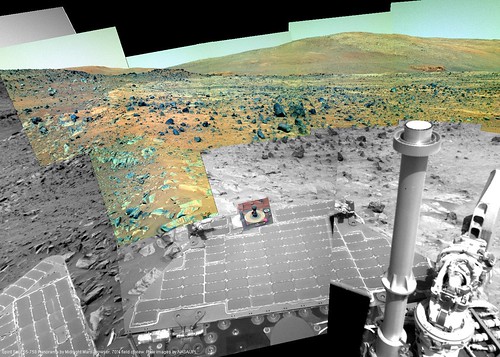
Adjusted Color for Spirit Sol 755-758

2_AOC6_5

Had a stab at evening out the false-color... so at least the image brightness are stretched more or less the same way.

Spirit Sol 755-758 Pan Updated and Sol 759 Added

2_AOC6_3
I'll try to adjust the color later...

Sunday, February 19, 2006

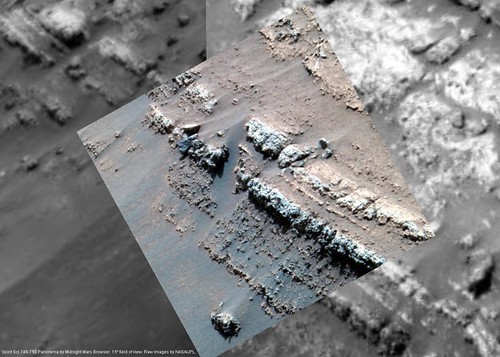
Spirit Sol 746-750 Pan Updated

2_AO55_2
Closeup of outcrop, Sol 746-750.

2_AO55_3
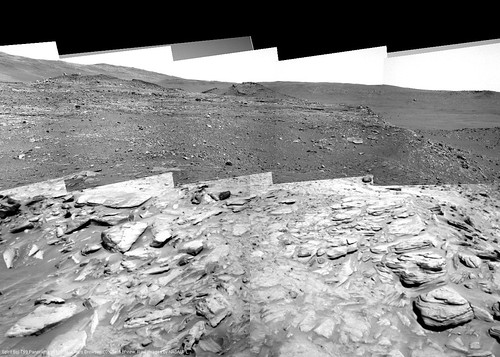
View Eest on Sol 746-750 looking 20 degrees down relative to horizon.

Saturday, February 18, 2006

Version 1.4.3

Midnight Mars Browser 1.4.3 fixes some bugs, including a file handle leak that could cause problems when viewing many panoramas or images in sequence. Also the delete images option now properly deletes thumbnails.

Download the latest version of Midnight Mars Browser

Friday, February 17, 2006

All Pan Metadata Updated

2_AL00_1

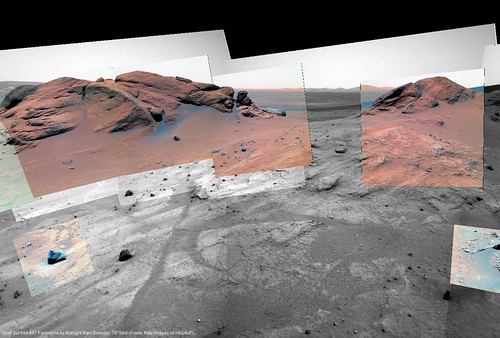
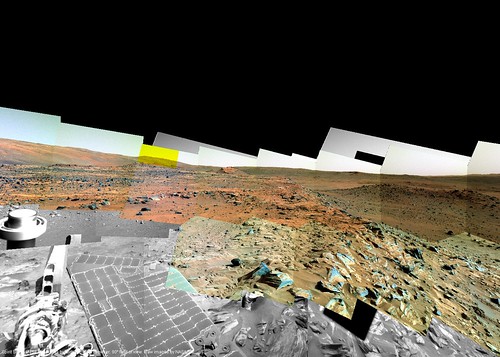
All the MMB pan metadata has been regenerated with data from the Pancam Tracking Database. Above, a 70 degree view of "El Dorado" in ground-relative perspective.

2_AKE1_1
"Comanche"

2_AJQV_1
"Seminole" view.

There are a bunch of other nice new screenshots at the Flickr site.